Last updated: August 09, 2026
- In most cases, the five skills that matter first are email, calendar, file sharing, video meetings, and passwords.
- Join on time, find the right file, recover from a small tech snag — that’s the whole ballgame.
- The senior who can do those three things has a real shot at doing remote work well.
- Key Facts / Takeaways Email, calendar, and file sharing are the non-negotiable core for most remote jobs.
Quick Answer: 5 core skills get most seniors started
Remote work for seniors boils down to a tight set of basics: video calls, email, file handling, passwords, and simple troubleshooting. In most cases, the five skills that matter first are email, calendar, file sharing, video meetings, and passwords. Join on time, find the right file, recover from a small tech snag — that’s the whole ballgame. The senior who can do those three things has a real shot at doing remote work well.
Key Facts / Takeaways

- Email, calendar, and file sharing are the non-negotiable core for most remote jobs.
- Video meetings usually require 3 basics: join, mute/unmute, and screen share.
- Two-factor authentication adds one more step, but it reduces account risk.
- Strong file names save time; “resume-final” repeated five times creates confusion.
- If a role is finance, health, or HR, security skills may need to come before communication skills.
- The U.S. Cybersecurity and Infrastructure Security Agency recommends multi-factor authentication for better account protection: https://www.cisa.gov/mfa
I write about workplace tech and practical digital skills, and the pattern is obvious to me: the issue usually is not “can this person learn?” It is “which skills matter first, and which ones can wait?” A polished article that only says “learn technology” helps nobody. Useful? Not really. The answer is narrower.
The Real Difference Between “Can Use a Device” and “Can Work Remotely”
The real difference is communication under a little pressure. Someone can be perfectly comfortable with a phone or tablet and still struggle to work remotely because remote work asks for a few specific actions in sequence: open the right app, verify identity, join a call, handle a shared document, and keep track of messages without walking over to someone’s desk.
So I would focus on workflow skills, not “general tech confidence.” General confidence sounds nice, but remote work rewards repeatable habits. A senior who knows how to check email twice a day, name files clearly, mute and unmute during meetings, and use a calendar is already ahead of someone who can browse the web but cannot manage the workday.
The biggest mistake generic articles make is assuming seniors need a giant syllabus. They do not. They need a narrow set of tools that covers most remote jobs:
- email and attachments
- video meetings
- chat tools like Teams or Slack
- cloud storage and file sharing
- calendar scheduling
- passwords and two-factor sign-in
- basic device cleanup and updates
Those skills matter because they reduce friction. Find the invite. Get into the meeting. Share the document. Answer a message without panic. Then the job starts to feel manageable. Without them, every task turns into a small emergency.
The other difference is pace. Remote work often gives you more independence, but less in-person rescue. There is usually no one leaning over to say, “Click that one.” So the best skill is not speed; it is calm repetition. Learn the same steps until they feel boring.
Email, Calendar, and File Sharing: The Non-Negotiable Core
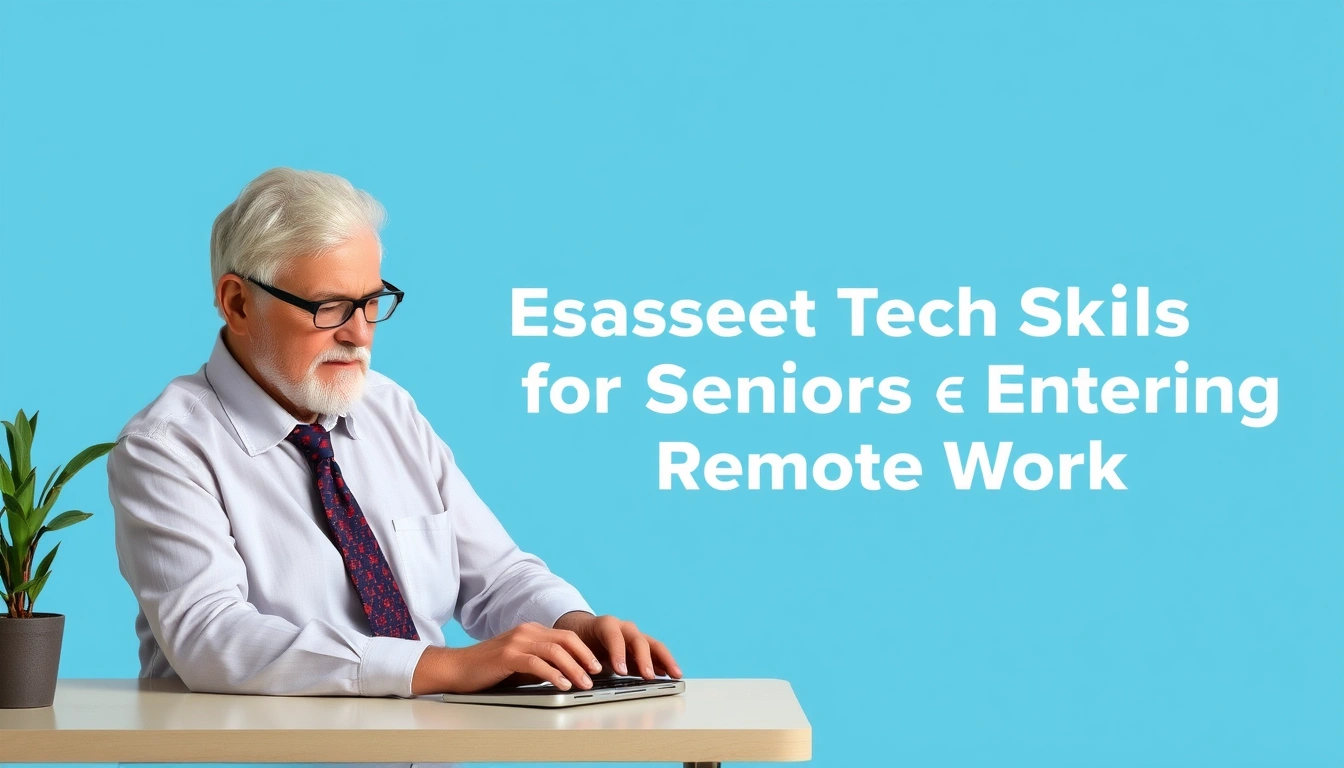
Email, calendar, and file sharing are the three tools that hold the job together for almost every senior entering remote work. Miss them, and you miss deadlines, meetings, and instructions.
Email is where work often starts. The skill is not just reading messages. It is recognizing what needs action, spotting attachments, and replying clearly. A strong reply can be short: confirm, ask one question, or say when something will be done. The weak spot here is simple — email turns into a pile of noise fast. Without folders, flags, or even a plain system for marking what matters, you end up rereading the same threads.
Attachments matter too. A message can look simple while hiding the one file you need. Open it right away, then save it in the proper folder. That one move prevents lost time later.
Calendar skill sounds minor until you miss a meeting. Seniors entering remote work should know how to open an invite, accept or decline it, check the time zone, and set a reminder. The real risk is not technical; it is social. Missing a meeting looks careless even when the cause is confusion.
Because of that, a calendar should not sit unused. A meeting at 2:00 p.m. is not just a time; it is a commitment with a reminder attached. If your role spans time zones, even a one-hour slip can create a missed handoff.
File sharing is where many new remote workers stumble. I would learn the basics of cloud storage before anything fancier: how to upload a file, open a shared link, and save a copy with the right name. The useful habit is version control at a human level. Five documents named “resume-final” and you’re chasing your own tail. Clear file names beat memory every time.
For example, “Benefits_Form_2026.pdf” is easier to find than “final2.pdf.” Small naming changes save minutes every day, and minutes add up over a 40-hour workweek.
The limitation here is that these tools are easy to underestimate. They are also easy to learn badly. Someone can “know email” but still forget to check spam, ignore attachments, or send a document in the wrong format. I’d rather see practice than tutorials. Open the app, do the task, repeat it.
Video Meetings and Chat: The Skills That Keep You Visible
Video calls and chat tools are where remote work turns social, and they are the skills that most directly affect how others experience you. I think seniors should treat this as visibility training, not gadget training. If people can see and hear you clearly, the rest of your competence has room to show. If this feels tied to hearing, eyesight, or another health issue, it is wise to consult a professional or workplace support team; the Mayo Clinic’s telehealth guidance is a useful starting point: https://www.mayoclinic.org/healthy-lifestyle/adult-health/in-depth/telehealth/art-20489189
For video meetings, the basics are simple but essential: join the meeting, test audio, mute yourself when not speaking, turn the camera on if the workplace expects it, and know how to share your screen. Screen sharing matters especially because many remote jobs use it for training, support, and collaboration. Miss that skill, and you’re stuck asking someone else to drive every presentation.
Chat tools such as Microsoft Teams, Slack, or workplace messaging apps are different from email. They are faster, lighter, and often more informal. The skill here is reading the room. Some messages need a quick “Got it.” Some need a fuller response. Some should move to email. A senior who can keep chat brief and clear will often look more comfortable than someone who writes long paragraphs in a fast-moving channel.
The drawback is constant interruption. That matters for older workers who may already be balancing focus, health, or caregiving duties. My advice is to learn notification settings early. Know how to silence alerts, set status messages, and return to a thread later. That is not optional if you want remote work to feel livable.
If a person hates being on camera, that does not automatically rule out remote work. But it does mean they need to understand the communication rules of the job. Some roles are meeting-heavy. Others are mostly async and text-based. Huge difference.
Passwords, Logins, and Basic Security: The Skill That Protects the Job
Password management is not glamorous, but I would call it one of the most important skills for seniors entering remote work. A single locked account can stall your whole day. A weak security habit can put your pay, your records, or your employer’s data at risk.
The basic skill set is straightforward: make strong passwords, store them safely, use two-factor authentication when offered, and know how to recover access if you get locked out. For most people, a password manager is the cleanest way to keep track of logins. I would choose one if remembering dozens of passwords is already a burden. The trade-off is that a password manager adds one more tool to learn, so it is worth taking the setup slowly.
Two-factor authentication is another non-negotiable. It usually means confirming your identity with a code sent to your phone or generated by an app. This extra step can feel annoying at first, but it is there for a reason. The downside is that if you lose access to your phone or recovery method, you may need help getting back in. Seniors should write down recovery steps somewhere safe, not on a sticky note stuck to the monitor.
Security also includes recognizing suspicious messages. If an email asks you to click a strange link, move money, or share a code, pause. Do not rush because the message sounds urgent. That is exactly how scams work. For a senior new to remote work, that one habit can prevent a lot of trouble.
This is the area where I would most strongly recommend asking the employer’s IT team for help if anything feels unclear. That is not a weakness. It is the right move. For general guidance, the National Institute of Standards and Technology’s Digital Identity Guidelines are a solid reference: https://pages.nist.gov/800-63-3/
The Honest Side-by-Side
Here is the practical comparison I would use if I were helping someone choose where to focus first: communication tools versus security tools. Communication skills get you productive faster. Security skills keep you from getting cut off or exposed. For most seniors, communication often wins as the first priority, but security is the one that prevents painful mistakes; if the role handles private records, money, or health data, a professional or employer IT lead should set the order.
| Criteria | Communication Tools | Security Tools | Winner for [condition] |
|---|---|---|---|
| Fastest path to job readiness | Email, calendar, and video calls make you usable sooner | Security takes more setup and explanation | Communication tools, when you need to start working quickly |
| Risk reduction | Helps you avoid missed meetings and confusion | Helps you avoid lockouts, scams, and account problems | Security tools, when the role handles sensitive data |
| Learning curve | Usually easier to grasp with practice | Can feel abstract until something goes wrong | Communication tools, for very new learners |
| Daily frequency | Used all day in most remote roles | Used less often, but still essential | Communication tools, for everyday usefulness |
| Consequences of mistakes | Missed messages, awkward delays, lost context | Account lockout, privacy risk, possible fraud exposure | Security tools, when the cost of error matters most |
| Best first focus | Helps you participate right away | Helps you stay safe once participation starts | Communication tools, then security right after |
| Best fit for support-heavy roles | Essential for client contact and team coordination | Important, but secondary to responsiveness | Communication tools |
| Best fit for compliance-heavy roles | Necessary, but not enough on its own | Central to the job | Security tools |
My read is simple: seniors should learn communication tools first because they open the door to the job, then security tools because they protect it. If the role is finance, health, HR, or anything sensitive, I would flip the emphasis and teach security earlier. The U.S. Federal Trade Commission also warns consumers about phishing and account fraud: https://consumer.ftc.gov/articles/how-recognize-and-avoid-phishing-scams
Our Verdict: Which One to Choose and Why
Choose communication skills first if you are new to remote work and need to become functional fast. Choose security skills first if your job touches private records, money, or sensitive company systems. Neither if you cannot reliably manage a device, read instructions on screen, or handle basic sign-in without repeated in-person help.
That is the cleanest answer I can give.
For most seniors, the winning path is a simple stack: email, calendar, files, video meetings, then passwords and two-factor authentication. I would not start with coding, advanced spreadsheets, or app customization. Those can wait. Remote work usually fails at the basics first, and that is where the early wins are.
The reason I favor this order is practical. A senior who can open the right file, join the call, and answer the message does not need to know every feature. They need enough skill to stay in motion. Once that is in place, confidence rises quickly because each successful task makes the next one easier.
The main weakness of this advice is that it assumes the job is not highly specialized. If the role requires heavy data entry, CRM work, bookkeeping, or customer support, then I would add the exact workplace software earlier. Remote work is not one skill set; it is a base layer plus role-specific tools.
When to Reconsider This Choice Entirely
There are a few cases where I would change the recommendation.
First, if a senior is uncomfortable enough with devices that opening a browser, switching tabs, or downloading a file feels overwhelming, I would pause and build device basics before applying for remote jobs. Rushing into remote work at that point creates stress, not income.
Second, if the job is meeting-heavy and the person has trouble hearing, speaking clearly on a microphone, or reading screen content, the issue is not motivation. It is fit. A different role may be kinder and more sustainable.
Third, if the job depends on constant multitasking across three or four systems, I would be cautious. Some remote roles are tidy; others are a storm of apps, alerts, and windows. A senior who prefers one task at a time may do better in work with clearer routines.
Fourth, if the employer cannot offer basic onboarding, I would think twice. Remote work without patient training is hard for anyone, and it is especially punishing for someone learning the tools for the first time.
My honest view is that seniors do not need a dramatic “tech transformation” to enter remote work. They need a short, specific list of skills and enough practice to stop fearing the screen. That is learnable. It is also enough.