Last updated: October 29, 2026
A remote interview for seniors usually has less to do with age than with proof. Can you explain a long work history without wandering? Can you handle video setup, keep track of time without someone hovering, and work comfortably on Zoom or Google Meet? A strong answer sounds practical, specific, and calm — not defensive.
Key Takeaways
- A remote job interview checks whether a candidate can do the work, communicate without walking into a manager’s office, and handle minor tech issues calmly.
- The most common early questions are about your background, your schedule, and whether you can work independently.
- You answer work history questions by choosing one through-line, then using a 3-part structure: role, result, and relevance.
- You should say what tools you can use now, what you can learn quickly, and how you handle a problem when a screen freezes.
What a remote job interview is really checking

A remote job interview checks whether a candidate can do the work, communicate without walking into a manager’s office, and solve small technology problems without panic. The interviewer is listening for three things at once: clarity, reliability, and self-management.
The setting changes the questions. On a phone screen, availability and schedule usually come first. On Zoom or Google Meet, presence matters right away — camera on, microphone working, background quiet, answer steady. On a second-round interview, the questions often get more specific about past projects, work habits, and how a person stays organized when no one is watching over their shoulder.
For seniors, the useful shift is this: the interview is not a quiz on the newest app. It is a conversation about how past experience translates to a remote setting. Years of handling clients, deadlines, records, teams, or problem-solving already give you material. The job is to shape it for a screen.
Preparation beats memorizing scripts. Pick 4 to 6 work stories that fit common remote questions: handling pressure, learning a new system, meeting deadlines, staying in touch, and adjusting to change. If the role is administrative, a story about calendar control or document accuracy fits. If the role is customer-facing, a story about handling a difficult call or email thread fits better. Otherwise the answer turns into soup.
This guide supports the broader remote work opportunities for seniors topic, but this page stays focused on the interview itself: what the questions mean, what to say, and what to avoid.
The questions senior candidates should expect first
The most common early questions are about your background, your schedule, and whether you can work independently. Those questions are not small talk; they are the employer’s first filter.
Expect some version of these — and, if the role is especially specialized, you may want to consult a career professional or the employer’s own guidance while preparing, because interviews vary by company and job posting:
- “Tell me about your work history.”
- “Why are you interested in this remote role?”
- “What does your availability look like?”
- “How do you stay organized when working alone?”
- “What tools have you used for video meetings or file sharing?”
- “How do you handle a problem when your manager is not in the room?”
Treat those questions as a chance to show judgment. When someone asks about work history, do not recite a full biography from the first job forward. A 60- to 90-second summary is usually enough: current role or most recent role, the kind of work handled, one or two strengths, then the connection to the role being discussed.
Availability calls for facts, not vague enthusiasm. If mornings are open but afternoons are not, say that. If you need one fixed appointment every Tuesday at 2 p.m., say that too. A remote employer can work with clear boundaries far more easily than with a hopeful but unclear schedule.
When the interviewer asks about self-management, a concrete method usually lands better than a general claim: a paper planner, a shared calendar, a morning task list, a 15-minute check-in habit, or a daily review of priorities. The detail matters because “I’m organized” means very little on its own.
One thing the generic advice usually misses: older candidates sometimes over-explain gaps, retirements, or career changes. That can sound like apologizing. Keep the explanation brief, factual, and forward-looking. A gap is not the focus; the fit for this role is.
How do I answer work history questions without rambling?
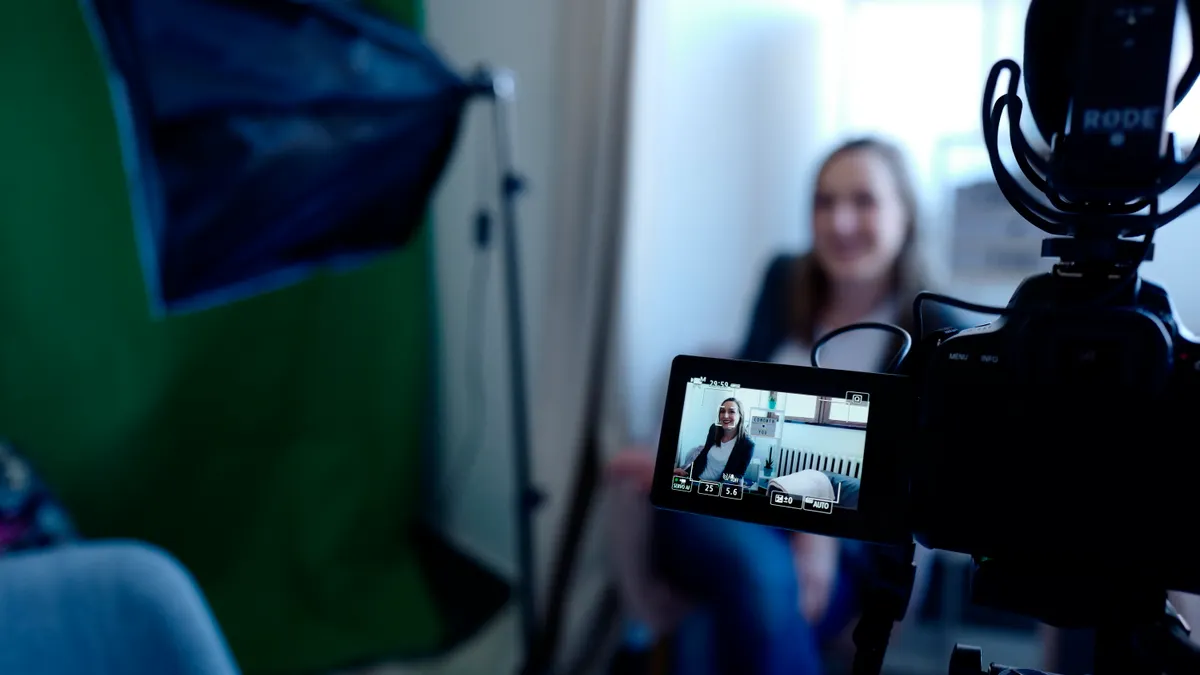
Choose one through-line, then use a 3-part structure: role, result, and relevance. That keeps the answer under about 2 minutes and makes the interviewer’s job easier.
A clean method helps:
- Start with your most relevant recent role, not the earliest one. If the job is remote administrative support, begin with the work that resembles that job, even if it was 5 years ago.
- Name 2 or 3 duties that match the posting. Use concrete nouns: scheduling, records, email triage, customer follow-up, invoice review, data entry.
- Give one result tied to a number, deadline, or standard. “I handled 40 client files a week” or “I kept weekly reporting on schedule” is stronger than “I was very productive.”
- Connect the past to the new role in one sentence. The point is not your full career map; the point is why this background fits remote work now.
Example structure:
“I spent the last several years in office administration, where I handled scheduling, document control, and daily client communication. That work taught me how to keep tasks moving without needing constant reminders. I’m interested in this remote role because it uses the same skills in a more flexible setting.”
If the interviewer asks about a gap, answer directly and keep the tone neutral. “I stepped away from full-time work for family reasons, and I’m now ready for a role that uses my experience in a remote setting.” That is enough in many cases.
Do not turn the answer into a defense of age, retirement status, or health. Those topics can crowd out the employer’s real concern: Can this person do the job reliably? If your work history includes volunteer work, consulting, caregiving, or part-time assignments, include them only if they support that answer.
A common mistake is listing every job title from the last 30 years. That costs the interview focus. Better to choose the 2 or 3 positions that prove the fit and leave the rest out unless asked.
What should I say about technology comfort?
Say what tools you can use now, what you can learn quickly, and how you handle a problem when a screen freezes. That answer works because it is specific without pretending to know every platform.
Remote interviews often revolve around a small set of tools: Zoom, Google Meet, email, shared calendars, and file attachments. The interviewer wants to know whether you can join a meeting, mute and unmute correctly, hear clearly through a headset, and follow a link without turning the call into a rescue mission.
A useful answer sounds like this:
“I’m comfortable using Zoom and Google Meet for interviews and team meetings. I know how to use the camera, microphone, and chat, and I’m comfortable joining from a laptop or desktop. If a tool is new, I learn it quickly and ask for a short walkthrough before the first meeting.”
That answer is honest and useful. It does not claim expertise it may not have. It also signals something employers value more than raw technical confidence: the ability to adapt without drama.
If the interviewer asks about technology comfort, avoid vague phrases like “I’m pretty good with computers.” That line tells them almost nothing. Better to mention exact tasks: joining a meeting, sharing a screen, downloading a file, checking audio, and switching between tabs.
A few practical details help in the interview itself. A headset often produces cleaner sound than a laptop microphone alone. Camera placement matters too: eye level is usually better than looking down at a screen. If the room echoes, a softer surface nearby can help. These are not advanced skills; they are the basics that make a remote interview feel polished.
Honesty matters most here. If a role requires a platform you have never used, say so and follow with your learning method. “I have not used that system yet, but I can learn a new interface quickly and I’m comfortable with online instructions or a brief training session.” That is far stronger than pretending.
Preparing your camera, microphone, and room the right way
Test the camera, microphone, headset, lighting, and internet connection before the interview starts. Ten minutes is enough, and it can save you from the kind of distraction that turns good answers into rushed ones.
Then use this sequence:
- Open Zoom or Google Meet 15 minutes early and join a test call if the platform allows it. The goal is to catch login or audio issues before the interviewer arrives.
- Check the camera frame so your face and upper shoulders are visible. A stable image reads as composed, while a tilted or cut-off frame looks careless.
- Test the microphone with a headset or built-in mic and listen for echo, hiss, or low volume. Clear sound matters more than a perfect background.
- Silence other devices and close extra browser tabs. The result should be a cleaner call and fewer interruptions from alerts or pop-ups.
- Pick a simple background and good lighting from the front or side, not from behind. This keeps the image easy to read.
A headset can be the difference between a smooth conversation and repeated “Can you hear me?” moments. If you use one, make sure it does not rub against clothing or overpower your voice. If you do not use one, move closer to the microphone and speak at a steady volume.
The room matters too. A hard-walled space can create echo, especially if the microphone is sensitive. A rug, curtain, or upholstered chair can reduce that. A quiet room is not a luxury in a remote interview; it is part of the first impression.
One limitation deserves to be stated plainly: a perfect setup will not rescue a weak answer. It only removes distractions so the interviewer can focus on your qualifications. That is why the setup work should happen before the call, not during it.
For a broader overview of what remote employers may ask once the call starts, the interview is easier to handle when the setup already feels ordinary.
The self-management questions seniors should rehearse
The self-management questions seniors should rehearse are the ones about routines, deadlines, priorities, and independence. Remote employers ask them because they need proof that work will keep moving even when no one is standing nearby.
Expect questions like:
- “How do you manage your day?”
- “What do you do when you have multiple deadlines?”
- “How do you stay focused at home?”
- “How do you handle a task when instructions are incomplete?”
- “How do you keep communication clear with a manager or team?”
A strong answer uses a real process, not a personality claim. “I make a priority list each morning and break larger tasks into 30- or 60-minute blocks” says far more than “I’m self-motivated.” If you use a shared calendar, mention it. If you check email at set times instead of constantly, say that. If you review tomorrow’s tasks at the end of the day, that is useful too.
The interviewer is looking for evidence that you can work without drift. Your answer should include a visible method and a result. Example: “I start with the highest-priority task, then check email twice a day so I am not pulled off course by every message.” That tells the interviewer how you work, not just how you feel about work.
A common mistake here is sounding too rigid. Some older candidates describe a routine so strict it seems hard to fit into a team. Leave room for adjustment. A remote job still has meetings, changes, and occasional interruptions. The answer should show structure with flexibility, not a locked schedule that cannot bend.
This section is where a lot of generic interview advice falls short. It treats “independence” as a personality trait, though remote employers usually treat it as a behavior pattern: how quickly you respond, how you track tasks, and how you raise a hand when something is stuck. That is what the answer should show.
How to handle age, retirement, and career-change questions
Keep the answer brief, factual, and centered on the role. The interviewer is usually asking about fit and commitment, not trying to hear a life story.
If the question is about retirement, a direct answer is usually safest:
“I’m looking for work that fits my current schedule and lets me keep contributing in a focused role.”
If the question is about returning after time away:
“I’m ready to re-enter the workforce, and I’m especially interested in remote work because it fits the way I work best.”
If the question is about why you want remote work, the strongest answers usually mention focus, commute reduction, or flexibility without sounding like an escape from people. “I do my best work with clear tasks and fewer interruptions” is better than “I want to stay home.”
What should not be in the answer: complaints about commuting, dislike of offices, or any suggestion that remote work is only about convenience. Employers want to hear that remote work improves your performance, not just your comfort.
A useful trade-off to remember is that remote interviews can make experience feel invisible unless you name it. The screen does not show years of competence the way a resume does. So your answers need to surface judgment, calm, and follow-through in plain language.
If a question touches age directly, you do not need to make it bigger than it is. Answer the job question underneath it. A senior candidate who sounds steady and current often does more to quiet concerns than any clever script could.
FAQ
What questions do remote employers ask seniors?
Remote employers usually ask about work history, schedule, self-management, and comfort with video tools. The first sentence should answer directly: they want to know whether you can do the work without constant supervision. Expect questions about availability, communication, and how you handle Zoom or Google Meet. The U.S. Department of Labor’s CareerOneStop interview guidance is a useful place to review common interview formats before you practice.
How do I answer why I want remote work?
The best answer links remote work to how you perform, not just how convenient it is. Say that you work well with clear tasks, focused time, or a schedule that fits your life. Keep it brief and positive. A 20- to 30-second answer is usually enough unless the interviewer asks for more.
How should I prepare for a video interview?
Prepare by testing your camera, microphone, headset, lighting, and login 10 to 15 minutes early. The first sentence should stand alone: you should make the call feel normal before it starts. Use Zoom or Google Meet if that is what the employer chose, and check that your background and sound are distraction-free. For a practical checklist, Google’s Meet help pages and Zoom’s support articles both cover basic setup steps.
Drafted with AI; not yet reviewed by a person.