Last updated: August 09, 2026
- Remote work for people 50, 60, or retired-but-not-done is not hidden.
- It is the better place to prove your value, show your experience, and build trust with hiring teams.
- And LinkedIn can help you get to the right openings faster than sending cold applications into the void.
- Quick Answer / Key Facts – LinkedIn is strongest for remote jobs that value experience, communication, and trust.
Remote work for people 50, 60, or retired-but-not-done is not hidden. It is just crowded. And LinkedIn can help you get to the right openings faster than sending cold applications into the void. I use LinkedIn as a map, not a miracle: it works best for finding employers already hiring remotely, spotting roles that fit your experience, and getting in front of a person before a posting sinks under the pile.
Quick Answer / Key Facts
– LinkedIn is strongest for remote jobs that value experience, communication, and trust.
– Use it as a search-and-network tool, not just a resume page.
– A focused profile, 1–2 saved searches, and a few short messages each week are enough to start.
– For speed, low effort, or hourly work, general job boards may be a better fit.
– To make sure a role is fully remote, verify it on the company page and in employee profiles before applying.
– LinkedIn members now number more than 1 billion, so search is crowded and specificity matters. Source: LinkedIn Newsroom.
– Remote hiring remains common enough that U.S. remote-capable roles still make up a meaningful share of postings; see the U.S. Bureau of Labor Statistics and Indeed Hiring Lab for labor-market context.
I write about job search strategy for experienced workers, and the pattern is usually the same: seniors do best on LinkedIn when they stop trying to look “current” and start looking clear. Not trendy. Clear. The goal is simple: sound useful, available, and easy to hire.
The Real Difference Between LinkedIn and Job Boards
LinkedIn wins when you want access to people, not just postings. Traditional job boards give you a list; LinkedIn gives you a path. Company, hiring manager, recruiter, employee who might refer you, and the remote-friendly language inside the posting itself — all of it sits in one place.
This matters for seniors because experience is your edge, but only if employers can spot it fast. On LinkedIn, a recruiter can skim your profile, see your background, and decide whether you fit a remote role without opening a long attachment. That is the real upside. It shortens the gap between “qualified” and “contacted.”
The downside? Noise. Plenty of it. When your profile is vague, stale, or stuffed with old job titles that no longer match the work you want, you can vanish into the feed before anyone notices. LinkedIn also rewards regular activity; when you never post, never comment, and never message anyone, it turns into a fancy resume cabinet instead of a job-finding tool.
For seniors, the smartest use of LinkedIn is not chasing every remote posting that appears. It is narrowing the search to jobs that fit your experience and then using the platform to build trust quickly. Clean profile. Right keywords. Focused outreach. That mix beats random clicking.
LinkedIn: Who Should Actually Use This (and Who Shouldn’t)
LinkedIn works well for seniors who still have a clear professional lane. Accounting, project coordination, customer support, operations, HR, writing, bookkeeping, training, sales, administration, and tech-adjacent work all fit here. Those roles are often posted by employers who care more about reliability, communication, and experience than flash.
This also suits people who are comfortable with email, video calls, and a little self-promotion. Remote hiring is partly a trust exercise. A strong profile can quietly answer the questions a recruiter would otherwise have to ask: Can this person communicate? Do they look organized? Have they done this kind of work before?
Honestly, I would not push LinkedIn as the first choice for someone who wants very low-friction job hunting. When logging in feels overwhelming, when messaging strangers sounds draining, or when you only want hourly work with no professional branding, the platform may ask for more effort than it gives back. It can also feel discouraging when you compare yourself to younger professionals who post constantly. That comparison is a trap.
LinkedIn is also not ideal for gig-only work, very local jobs, or roles filled mostly through word of mouth outside professional networks. In those cases, a niche job board, a staffing agency, or direct employer websites may fit better.
My rule is plain: use LinkedIn if your next job is likely to value experience, communication, and trust. Skip it for speed without profile maintenance.
The Specific Situations Where LinkedIn Wins
LinkedIn is strongest when you need to find remote jobs before they are obvious. Usually that means companies already comfortable with remote staff, hybrid teams, or distributed hiring. Those employers often use LinkedIn to source candidates, not just post openings.
This also helps with late-career transitions. Seniors who want to move from full-time in-office work to part-time remote consulting, contract work, or advisory work can use LinkedIn to show a narrow specialty. That is much easier than trying to explain a career pivot in a one-page resume alone. A blunt truth: the old “apply everywhere” approach falls apart here.
Referrals are another win. A referral is not a guarantee, but it can move your application from anonymous to visible. When you see a remote job at a company where you know someone, LinkedIn makes it easy to reconnect. When you do not know anyone there, it still helps you find second-degree connections, alumni, and former coworkers.
LinkedIn is also useful for checking whether a job is genuinely remote or only “remote sometimes.” Job titles can be slippery. A posting may say remote, while the company page, employee profiles, and recent posts suggest a hybrid setup or a location restriction. That extra check matters if you need fully remote work because of caregiving, mobility, or distance.
The weak spot is time. Browse without a plan and you can burn an hour chasing shiny listings. Seniors usually do better with short sessions and a target list. Find companies, filter for remote roles, save a few searches, and send a few careful messages. Repeat that consistently, and it starts acting like a system.
The Honest Side-by-Side
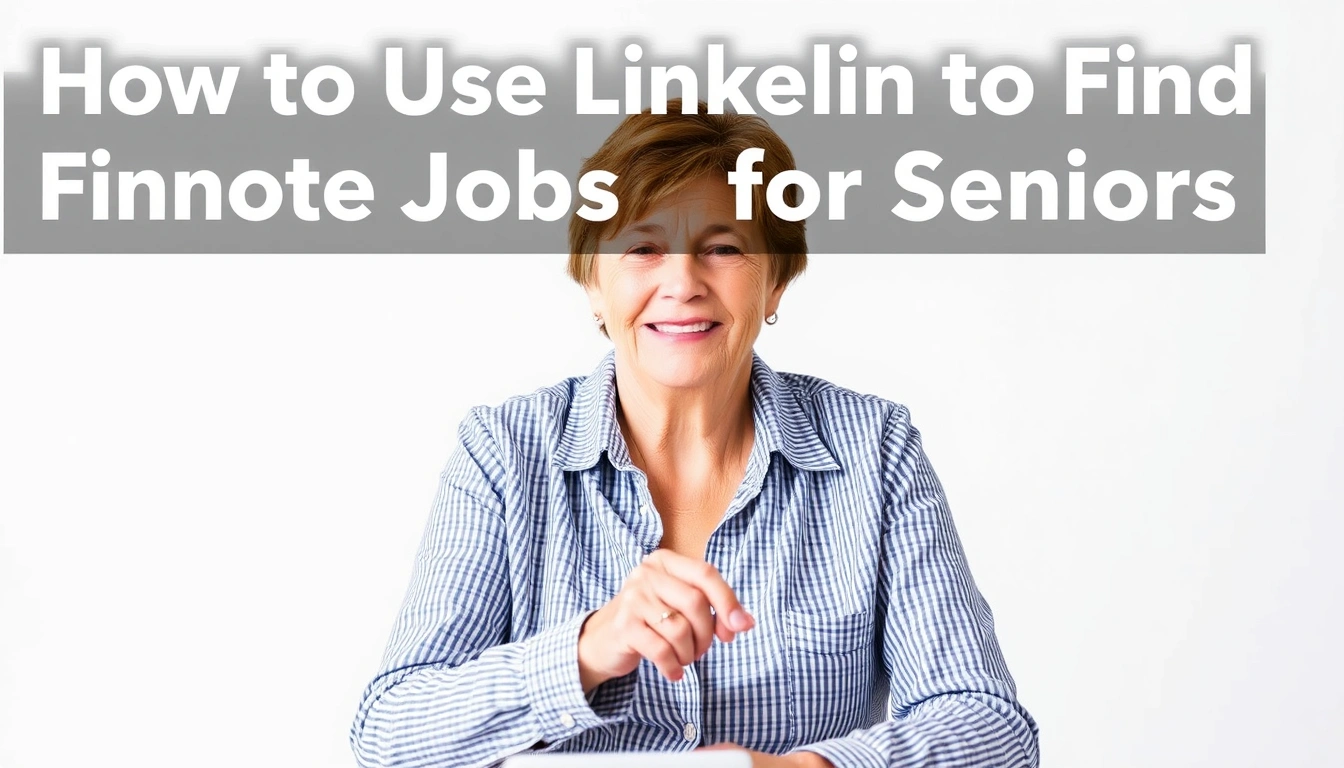
| Criteria | General Job Boards | Winner for [condition] | |
|---|---|---|---|
| Seeing who hires remote | Strong company and employee visibility | Often limited to the posting itself | LinkedIn, when you want context |
| Getting in front of a person | Easy to message recruiters and contacts | Usually application-only | LinkedIn, when referrals matter |
| Searching by experience level | Good if your profile is specific | Good, but less personal | LinkedIn, for experienced professionals |
| Finding fully remote vs hybrid | Better if you inspect profiles and company pages | Depends on how carefully the posting is tagged | LinkedIn, if you verify carefully |
| Low-friction browsing | Can be distracting and social | Usually simpler | Job boards, for speed |
| Networking without starting cold | Built for it | Weak for it | LinkedIn, if you have contacts |
| Privacy and visibility control | You must manage your public presence | Less public by default | Job boards, if privacy is a concern |
| Best for career changers | Good if you can tell a clear story | Better for broad application volume | LinkedIn, when you need to explain a pivot |
| Best for entry-level remote work | Mixed; depends on your profile | Often stronger for volume | Job boards, if you are starting over |
LinkedIn is not better at everything. It is better at trust, context, and direct contact. Job boards are better at raw volume and lower mental overhead. Seniors usually need both, but if I had to choose one for a targeted remote search, I would pick LinkedIn for the relationship piece and job boards for backup volume. Different jobs, different jobs-to-be-done. That matters.
The Real Difference Between a Good LinkedIn Profile and a Weak One
A good profile says what you do, who you help, and what remote employers can count on. A weak profile says you had jobs. That gap is enormous.
For remote work, your headline and summary matter more than your full employment history. I would keep the top of the profile plain and specific: “Customer Service Professional | Remote Support | Calendar, Email, CRM, and Client Follow-Up” beats a vague title from 20 years ago. You are not trying to impress everyone. You are trying to be searchable.
The most useful profiles for seniors do three things well. First, they include current keywords tied to remote jobs. Second, they explain experience in terms of outcomes, not just duties. Third, they make it obvious that you can work independently and communicate clearly. Those are the traits remote employers care about.
Writing that kind of profile can feel a little self-conscious. Fair enough. Plenty of seniors undersell themselves because they do not want to sound boastful. That is a mistake. LinkedIn is not the place for humility by omission. If you handled scheduling, client follow-up, vendor calls, spreadsheet tracking, or team coordination, say so directly.
I would skip the urge to rewrite your career as if you were younger or more technical than you are. Employers hire seniors for judgment, steadiness, and pattern recognition. Put that on the page. Should you have gaps, explain them briefly and move on. Should you have changed fields, connect the dots. Want remote work now? Say that plainly.
The Specific Situations Where LinkedIn Fails
LinkedIn can fail seniors who treat it like a static resume. A profile that never changes, never posts, and never connects will not do much. Without at least a little maintenance, the platform loses most of its value. For practical tips on profile visibility, consult LinkedIn’s own help resources.
It also falls apart when you chase titles instead of fit. Lots of remote jobs are posted with broad labels that sound attractive but require a very specific day-to-day skill set. Senior applicants sometimes apply widely because the headline sounds plausible. That wastes time. You are better off screening for actual duties: phone work, inbox management, scheduling, document handling, coordination, writing, or account support.
Another weak point is overpolished language without clarity. Some profiles are stuffed with buzzwords and generic wording. That makes them harder to trust, not easier. Remote employers want evidence that you can do the work with minimal supervision. Give them substance. For guidance on clear, scannable profiles, consult LinkedIn’s profile tips and AARP’s job-search resources.
LinkedIn is also not the right tool when you need immediate income and cannot wait for a hiring cycle. Remote hiring through LinkedIn can still take time. If the paycheck must start fast, pair LinkedIn with temporary agencies, local employers, and direct applications. I would not count on LinkedIn alone in a deadline situation. That math stops working fast.
Our Verdict: Which One to Choose and Why
Choose LinkedIn if you want a remote job that fits your experience, you are willing to keep your profile current, and you want recruiters and contacts to find you instead of only submitting applications. Choose general job boards if you want faster browsing, lower effort, or broader volume with less networking. Neither if you are looking for instant income, refuse to message people, or will not maintain a profile at all.
My recommendation is usually straightforward: for seniors searching for remote work, LinkedIn should be the center of the search, not the only tool. It is the better place to prove your value, show your experience, and build trust with hiring teams. But it works only when you use it deliberately. Open an account and wait? Nothing happens.
When to Reconsider This Choice Entirely
The verdict flips in a few cases.
First, when your target work is not professional but task-based, local, or shift-oriented, LinkedIn is the wrong starting point. A staffing agency or direct employer applications will save time.
Second, when you are deeply privacy-conscious and do not want a public professional footprint, LinkedIn may create more discomfort than benefit. In that case, keep your search quieter.
Third, when you are changing careers completely and have almost no transferable story, you may need a training path before LinkedIn can help much. A clean profile cannot fix a missing skill set. The U.S. Department of Labor’s CareerOneStop and community-college training pages can help with that first step.
Fourth, when your internet comfort is low, I would not force a platform that depends on regular activity. A simpler job board strategy may be better until you are ready.
How I Would Use LinkedIn Step by Step
Start with one clear goal: the kind of remote role you want. Pick one lane first. Don’t try to be a jack-of-all-trades on your profile. That confuses recruiters.
Then do three things. Rewrite your headline so it matches the job you want. Update your “About” section to explain your experience in plain language. Add recent keywords from remote postings you actually want, not random buzzwords.
Next, use the job search filter for remote roles and save a few searches. Look at the company page before you apply. I would check whether employees mention remote work, whether the posting sounds fully remote or hybrid, and whether the role fits your background. LinkedIn’s job-search filters and company pages make this easier.
After that, send short messages to people who might matter: a recruiter, a hiring manager, a former colleague, an alum, or a contact inside the company. Keep the note simple. Say who you are, what role you want, and why you fit. Do not write a life story.
Finally, treat LinkedIn like a weekly habit, but only when that pace is realistic for you. A few focused logins beat one long frustrated session. Save jobs, follow companies, comment occasionally, and keep your profile aligned with the work you want. That is how seniors use LinkedIn well: not as a stage, but as a search tool with people attached.